
Arcade
Stone Grass: Mowing Simulator
Clear overgrown fields and upgrade your mower as you go.
Move + mowPlay
Hosted by MAHBAR
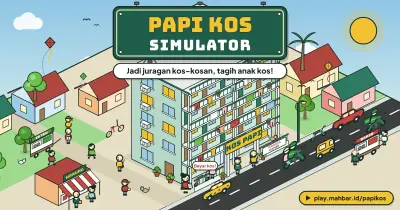
Papi Kost Simulator is the Indonesian boarding-house management game Papi Kos by MAHBAR. Start a kos-kosan, welcome tenants, manage rent and monthly bills, and grow your property business. Launch the official browser game above, then use this guide to understand the Indonesian menus and plan your first upgrades.
Choose Play now to load the official game. You can read the opening story or select Lewati to skip it. Choose Main sebagai tamu to try as a guest, or use the provider's Google sign-in option. The new-property form asks for a boarding-house name, gender and nickname; review them before confirming because the game describes the names as permanent.
Begin with the rooms you already have. Inspect a room, review Calon penghuni (prospective tenants), and open Keuangan (finances) before buying more property. Keep enough cash for recurring bills instead of spending the entire balance on construction.
A kos, also written kost, is rented accommodation commonly used by students and workers in Indonesia. Here you manage the property rather than playing as a tenant: prepare rooms, choose residents, manage facilities and handle the day-to-day demands of the business.
Papi Kost Simulator, Papi Kos Simulator and Papikos are names players use for this game. The official player is called Papi Kos. Its Indonesian setting includes a warung, a small neighborhood shop, alongside the rental buildings; it is a management simulation rather than an action game.
Open Calon penghuni to review prospective residents, and select rooms to inspect their current status. Check what the game says a room needs before investing in expansion. Empty rooms and additional floors are opportunities only when you can afford to prepare and maintain them.
Use Aset & fasilitas for assets and facilities, and read Pesan for tenant messages. A sensible starting routine is to review residents, check available rooms, then revisit finances. Compare the expense of a new upgrade with the money your existing property brings in.
Kas is available cash; total aset includes property value. A high asset total does not mean you have enough spendable money to cover the next bill. Watch Tagihan, the monthly bill figure, and the net monthly result before placing another construction order.
If cash becomes tight, inspect the financial breakdown and current facilities first. Read any loan terms shown under Pinjaman before borrowing; a loan is another commitment, not rental profit. Expand in stages and leave a reserve for operating expenses. This guide offers a starting approach, not an unlimited-money trick.
The official property-view instructions list dragging, pinching or the mouse wheel, and tapping rooms. Follow the current in-game prompts for each menu.
| Input | Action |
|---|---|
| Click / tap | Select rooms, residents and menu actions |
| Drag | Move the view around the property |
| Mouse wheel / pinch | Zoom the property view |
Play now loads MAHBAR's official online game inside this page. No emulator or browser plugin is needed. A network connection is required to load the game.
The official interface supports touch input. On a small screen, try fullscreen or open the provider site directly if the menus feel cramped.
Guest progress and the provider's Google account belong to the game. Saving a WASM Arcade favorite does not back up game progress. Embedded and directly opened games may use different browser storage; verify your save before changing how you launch it.
Fix a game that will not load · Understand browser game saves
You can start playing the browser game for free. The game also displays a Diamond shop and a Juragan package, so free access does not mean every optional item is free.
No app installation is needed for this official browser version. Start it here or open play.mahbar.id/papikos directly. The browser still loads the game's resources over the internet.
The official game offers touch controls, including dragging and pinching the property view. Use fullscreen for more space. This page has been checked at mobile viewport sizes; performance on every physical phone has not been tested.
The opening screen offers guest play and Google sign-in, which the provider describes as a way to protect progress and continue on another phone. WASM Arcade favorites only save this page's link. Before clearing browser data or switching devices, check the game's own save and account options. If sign-in cannot open in the embedded player, open the official site directly.
This page embeds the live Papi Kos browser game from play.mahbar.id and provides an original beginner guide. The game interface is in Indonesian; translating this guide does not translate the game. Features and prices can change as MAHBAR updates it.
Guide maintained by WASM Arcade Directory ·
MAHBAR — Papi Kost Simulator — Official game description, opening screens, finance labels and property-view instructions reviewed on November 26, 2026.
Papi Kos is provided by MAHBAR. WASM Arcade is an independent directory and publishes the guide on this page. Use the provider link for the original game and its account options.