Shooter / Action
Gun Mayhem 2: More Mayhem
Blast your rivals off the platform before they send you flying.
KeyboardPlay
Review and accept the agreement before playing.
Loading or controls help · Protect your saves ·
Game not opening? Open game provider Online modes and saves depend on the provider and your browser.
Ragdoll Archers is a physics-based archery game with solo, competitive and cooperative modes. Survive enemy waves, earn skulls and improve your archer while adjusting your aim to moving ragdoll targets.
In solo mode, use the left mouse button to control the archer and Space to jump. Hit opponents to earn skulls, then use upgrades to improve your abilities and experiment with different arrow types.
Watch for apples between attacks: red restores health, green restores stamina and gold restores both. Aim deliberately at these recovery targets when survival matters more than another immediate enemy hit.
Ragdoll Archers uses moving, physics-driven stick figures, so a previous successful shot is a starting reference rather than a fixed solution. Watch the next opponent’s position and posture before firing. The provider describes armored enemies and occasional giants; an enemy that survives does not necessarily mean your mouse input failed.
When several shots miss in the same direction, change your aim in small steps instead of swinging between extremes. Keep one comparison in mind: where the last arrow traveled relative to the target. This turns each attempt into information and makes it easier to separate an aiming error from a shot obstructed by the opponent’s armor or position.
Flying apples restore different resources: red restores health, green restores stamina, and gold restores both. Check which resource is actually running low before diverting a shot. Hitting a recovery target can be more valuable than landing another ordinary hit when your current resource shortage is likely to end the run.
Avoid treating all apples as interchangeable decoration. If health is comfortable but stamina is low, a green apple addresses the immediate problem; if both are low, a golden apple is especially useful. These are priorities rather than guaranteed shots: take account of the target’s position and the enemies still threatening you when choosing what to aim at next.
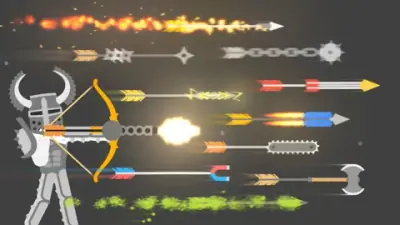
Defeated enemies award skulls for upgrades, and the documented options include health, stamina and damage. Choose a purchase by looking at how the last run ended. Running out of endurance calls for a different improvement from consistently landing hits that do too little damage. Test a newly unlocked arrow type before assuming it solves every encounter.
Set up the controls before a local two-player match. Solo uses the mouse and Space, while the two-player modes assign WASD and Left Shift to player one and arrow keys and Right Shift to player two. Decide whether you are playing competitive PvP or cooperative survival; the same keyboard layout serves different objectives in those modes.
The following controls are listed by Game provider. Check the in-game instructions for remapping and additional actions.
| Input | Action |
|---|---|
| Left mouse button (solo) | Control the archer |
| Space (solo) | Jump |
| WASD (player 1, two-player modes) | Control the archer |
| Left Shift (player 1) | Jump |
| Arrow keys (player 2) | Control the archer |
| Right Shift (player 2) | Jump |
The Play now button opens the configured Game provider player on this page. Availability and compatibility depend on the provider; not every title has been tested through a full game session.
Green apples restore stamina, while golden apples restore both stamina and health. Red apples restore health and do not address a stamina shortage according to the provider’s guide.
The provider documents mouse control and Space for solo. Both local two-player modes instead use WASD with Left Shift for player one and arrow keys with Right Shift for player two.
There is no verified universal purchase order here. Choose between documented upgrades such as health, stamina and damage according to the problem that repeatedly ends your runs.
Maintained by WASM Arcade Directory · Guide updated · Catalog snapshot .
These original guides explain game rules, practical decisions and common mistakes using the sources listed above. They are source-based guidance; a content review does not establish a completed playthrough or verified support on every device. This independent directory is not affiliated with game publishers. Favorites are separate from in-game saves. Sources and method · Contact and player support.