Sandbox survival
Minecraft
Build your own world, or survive your first night.
Keyboard & mousePlay
Keyboard & mouse recommended. Touch controls are not confirmed for this player.
Review and accept the agreement before playing.
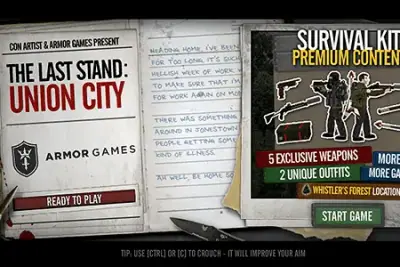
The Last Stand: Union City is a zombie action RPG about escaping a collapsed city. Exploration, scavenging and combat are part of the survival journey, rather than a single stationary defense encounter.
Work through Union City and look for a safe route out while dealing with zombies. Pay attention to the inventory and interaction controls as well as movement and reloading.
Identify the inventory and flashlight commands early so you can use them without searching during an encounter. Check the surroundings before opening a menu; managing equipment and navigating the city require different kinds of attention.
The original Union City offers Survivor and Run’n’Gun modes. Armor Games explains that Survivor adds food and sleep requirements. Choose it if you want those needs to influence exploration; choose Run’n’Gun if you prefer a journey focused more directly on moving through the city and fighting zombies.
In Survivor mode, consider supplies and opportunities to rest as part of a route, rather than treating every room only as another fight. Your next destination should answer both a travel problem and a survival problem. Advice written for Run’n’Gun can overlook those extra demands, so check which mode a guide assumes.
Union City combines scavenging, equipment management and side-scrolling combat. Before continuing, review what you are carrying and which weapon you intend to use. Evaluate an item against your immediate needs instead of repeatedly interrupting movement to inspect the same inventory without making a decision.
Learn the separate interaction, inventory and character-sheet actions early. Miniplay lists E to activate, I for inventory and C for the character sheet. Check the surrounding area before opening menus; planning equipment is easier when you have already dealt with the immediate pressure from approaching zombies.
Reloading and sprinting solve different problems. Reload when you have created enough space to do so; move away when remaining in place is turning an encounter into a trap. Check the next stretch before advancing so that your escape movement does not carry you directly into another threat.
The published controls include giving a weapon to a companion and saving a companion through the G action. Recognize that option before it becomes urgent and inspect the situation when a companion needs attention. Equipment decisions affect the journey beyond your own weapon, which makes this entry different from a simple stationary shooting defense.
The following controls are listed by Miniplay. Check the in-game instructions for remapping and additional actions.
| Input | Action |
|---|---|
| WASD | Move |
| Shift | Run |
| R | Reload |
| F | Flashlight |
| E | Activate |
| G | Give a weapon / rescue companion |
| I | Inventory |
| C | Character |
The Play now button opens the configured Miniplay player on this page. Availability and compatibility depend on the provider; not every title has been tested through a full game session.
Armor Games states that Survivor adds food and sleep to the survival requirements. Run’n’Gun is the alternative mode for a more combat-focused approach; do not assume both modes ask you to manage the same needs.
Both checked provider lists identify G for giving a weapon or saving a companion. Use the current in-game prompt to determine which action applies in the situation.
Maintained by WASM Arcade Directory · Guide updated · Catalog snapshot .
The apocalypse is here cities have collapsed, hundreds of zombies are heading to Union City and you must leave as fast as possible. Reach a safe place and enjoy the realism in this RPG.
Miniplay — The Last Stand: Union City
These original guides explain game rules, practical decisions and common mistakes using the sources listed above. They are source-based guidance; a content review does not establish a completed playthrough or verified support on every device. This independent directory is not affiliated with game publishers. Favorites are separate from in-game saves. Sources and method · Contact and player support.