Shooter / Action
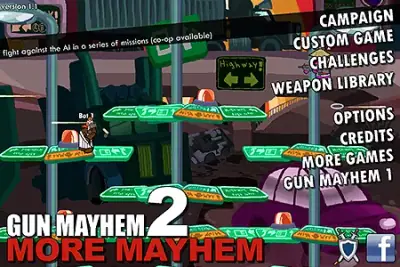
Gun Mayhem 2: More Mayhem
Blast your rivals off the platform before they send you flying.
KeyboardPlay
Keyboard recommended. Touch controls are not confirmed for this player.

Review and accept the agreement before playing.
Alien Hominid is a side-scrolling action platformer starring a small alien pursued by the FBI. It combines running, jumping and shooting, with hazards arriving as you travel across the screen.
Move through the level, avoid incoming attacks and fight the agents blocking your escape. The provider lists the arrow keys for movement, A to shoot and S to jump.
Practice jumping and firing separately before combining them. Keep enough space to react to an enemy ahead; looking only at the alien makes it easy to miss the next obstacle or projectile.
Begin by checking the Flash entry’s move, shoot and jump actions in a low-pressure moment. Miniplay lists arrow-key movement, A for shooting and S for jumping. Practice a short move followed by a jump and shot so that a threatening agent does not become your first control experiment.
Keep your attention slightly ahead of the alien. Looking only at the character makes an approaching enemy or projectile feel sudden. Before advancing, identify the next threat and a place to land; the goal is to make the next movement deliberate while continuing to handle what is already on screen.
A jump can avoid one attack while putting you into another problem. Decide where you want to land before leaving the ground, especially when the screen contains several agents. If a jump repeatedly ends badly, change the starting position or timing instead of repeating it with more frantic inputs.
Leave room to react while approaching the next encounter. Rushing into a crowded part of the screen reduces the time available to distinguish enemies from incoming attacks. When a section is unfamiliar, smaller advances make it easier to learn which event creates the dangerous moment.
After a failed attempt, identify the first decision that put the alien in trouble. Was your landing unsafe, did you advance before handling an enemy, or did you confuse jump and fire? Correct that one action on the next attempt; changing everything at once makes improvement harder to diagnose.
Use references for the original Flash platform game. Later Alien Hominid releases and Alien Hominid Invasion are distinct games, so their weapons, stages or controller advice should not be imported automatically. The instructions shown by this player remain the relevant check for its active control mapping.
The following controls are listed by Miniplay. Check the in-game instructions for remapping and additional actions.
| Input | Action |
|---|---|
| Arrow keys | Move |
| A | Shoot |
| S | Jump |
The Play now button opens the configured Miniplay player on this page. Availability and compatibility depend on the provider; not every title has been tested through a full game session.
Miniplay lists the arrow keys to move, A to shoot and S to jump. Click into the player if it lacks keyboard focus and consult its own instructions if the mapping differs.
Avoiding the immediate attack is only half of a jump. Check the landing area and other on-screen threats; a poorly chosen landing can leave less room to react than staying on a safer part of the ground.
Maintained by WASM Arcade Directory · Guide updated · Catalog snapshot .
In this platform game you'll control a little alien run away from the FBI. It loads slowly, so please, be patient.
Miniplay — Alien Hominid
These original guides explain game rules, practical decisions and common mistakes using the sources listed above. They are source-based guidance; a content review does not establish a completed playthrough or verified support on every device. This independent directory is not affiliated with game publishers. Favorites are separate from in-game saves. Sources and method · Contact and player support.