Platformer / Adventure / Action
Alien Hominid
Outrun the FBI in the original Flash run-and-gun.
KeyboardPlay
Keyboard recommended. Touch controls are not confirmed for this player.
Review and accept the agreement before playing.
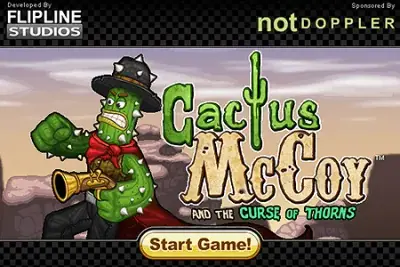
Cactus McCoy is a Wild West platform brawler from Flipline Studios. A cursed emerald transforms a treasure hunter into a cactus, sending him on a journey to return the jewel before he turns to stone.
Travel across the stages, fight the Enemigos and find a route toward the emerald’s home. Use the arrow keys to move, A to jump, S to attack and Down to pick up a weapon.
Practice a jump before fighting near a ledge. Pick up dropped weapons, watch their remaining uses and leave enough room to react to the next enemy.
McCoy takes a job to retrieve the Thorned Emerald, only to wake up as a walking cactus. The journey is about returning the jewel before the curse turns him into stone. This is the first Cactus McCoy, a 2011 Flipline Studios game; the Calavera adventure belongs to the sequel.
Open the player, allow the loading sequence to finish, then follow Continue and Play inside the game. Choose a save slot and follow the opening instructions. Click inside the game if the arrow keys stop responding after you use the website controls. A keyboard is needed for the platforming and combat.
Use the arrow keys to move and A to jump. Before crossing a gap, move to a position that gives you room to take off and see where you will land. Holding a direction through an entire fight can carry McCoy over a ledge even when the attack itself succeeds.
S attacks or uses the weapon McCoy is carrying. Watch the enemy’s position, close the distance deliberately and attack from stable ground. Once you know the jump distance, combine movement and attacks to keep enemies from surrounding you. If a route is above you, look for a climbing point rather than repeating the same jump.
Press Down beside a weapon to pick it up, then use S to attack with it. D drops the current weapon. Try a new pickup from a safe position so you can see its reach and remaining uses before relying on it in a crowded fight. An enemy’s dropped equipment can change how you approach the next encounter.
The original game file is about 6.9 MB, plus the Ruffle player. Loading is separate from saving: let the game record progress in its save slot before leaving. Browser storage belongs to this site and profile; clearing site data or using a private session can remove it. A directory favorite only bookmarks the page and does not back up the game.
The following controls are listed by the original game’s instructions. Check the in-game instructions for remapping and additional actions.
| Input | Action |
|---|---|
| Arrow keys | Move / aim |
| A | Jump |
| S | Attack / use weapon |
| Down arrow | Pick up weapon |
| D | Drop weapon |
| Menu button | Pause / menu |
Play now loads the original Cactus McCoy on this page using Ruffle. The game file is about 6.9 MB, plus the player. A keyboard is required. Follow Continue and Play in the game to begin.
This is the original Cactus McCoy and the Curse of Thorns, released in 2011. It follows the Thorned Emerald curse, rather than the sequel’s Calavera treasure story.
Stand beside the weapon and press Down to pick it up. S attacks with it, and D drops it. Follow any additional instructions shown inside the game.
No Flash plug-in is needed. The player uses Ruffle in your browser. Use a computer with a keyboard for the original controls.
Maintained by WASM Arcade Directory · Guide updated · Catalog snapshot .
These original guides explain game rules, practical decisions and common mistakes using the sources listed above. They are source-based guidance; a content review does not establish a completed playthrough or verified support on every device. This independent directory is not affiliated with game publishers. Favorites are separate from in-game saves. Sources and method · Contact and player support.