Puzzle
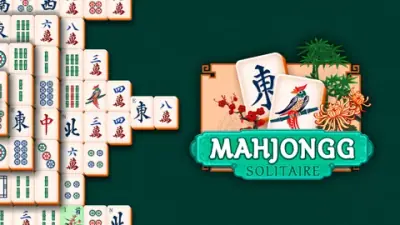
Mahjongg Solitaire
Find free matching tiles and work your way through the board.
Tap / clickPlay
Review and accept the agreement before playing.
Loading or controls help · Protect your saves ·
Game not opening? Open game provider Online modes and saves depend on the provider and your browser.
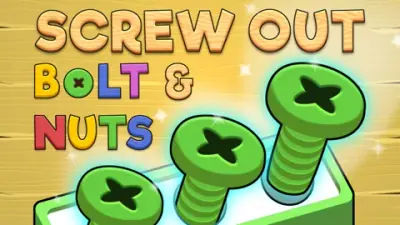
Screw Out: Bolts and Nuts is a color-sorting puzzle about removing screws from layered shapes. Each screw needs a matching container or an empty spare slot, so the order of removal determines whether the board stays playable.
Click a screw to remove it and fill a container of the matching color. Remove all screws holding a shape to make it fall away and expose more of the puzzle.
Prioritize colors that fit the active containers and keep spare slots available. Before removing a screw, check whether it completes a container or consumes the last space needed to continue.
Screw Out is a color-sorting puzzle with layered shapes. An accessible screw is only a good move when you know where it will go. Check the active colored containers first: a matching screw advances a container, while an unmatched screw consumes limited spare space. That storage decision is as important as whether the screw is visible.
Before using the last spare space, look for a sequence that will finish an active container. The provider says a completed container refreshes to a new color, which can change the usefulness of the remaining screws. Removing a random accessible color may feel like progress while actually reducing your ability to reach the next useful piece.
A shape falls when its holding screws have been removed, exposing more of the puzzle. Inspect the whole shape before starting: how many of its visible screws match current containers, and how many would need spare storage? A shape with one useful screw and several unmatched ones may be a worse first target than a shape you can clear safely.
After a shape drops, pause and read the newly exposed layer. The new screws may complete a container that was difficult a moment earlier, so continuing the old plan automatically can waste the opening. Treat each removed layer as a fresh planning point rather than a signal to keep clicking the same color wherever it appears.
The provider lists a magnet that completes a container, a drill that adds spare space, and a hammer that removes a shape. These solve different problems. Identify whether you need a refreshed container, an extra temporary destination, or access to a hidden layer before spending on a tool. Check the current in-game cost and availability rather than relying on an old price.
A tool creates an opportunity, so plan the following move as well. An extra hole does little if the next several screws are still unmatched; removing a shape is useful when its hidden layer offers a workable continuation. Keep spare capacity for a specific unlocking sequence and avoid spending it simply because the next visible screw can be removed.
The following controls are listed by Game provider. Check the in-game instructions for remapping and additional actions.
| Input | Action |
|---|---|
| Left mouse button | Unscrew a bolt |
The Play now button opens the configured Game provider player on this page. Availability and compatibility depend on the provider; not every title has been tested through a full game session.
It may have no matching active container and use a limited spare slot. Check its destination and whether it helps expose a useful layer before removing it.
The provider says a full container refreshes with a new color. Recheck the accessible screws after that change because a previously unmatched color may become useful.
The provider describes the drill as adding an extra hole and the hammer as removing an entire shape. One increases temporary storage; the other opens access. Check current in-game tool conditions before using either.
Maintained by WASM Arcade Directory · Guide updated · Catalog snapshot .
These original guides explain game rules, practical decisions and common mistakes using the sources listed above. They are source-based guidance; a content review does not establish a completed playthrough or verified support on every device. This independent directory is not affiliated with game publishers. Favorites are separate from in-game saves. Sources and method · Contact and player support.