Run and gun
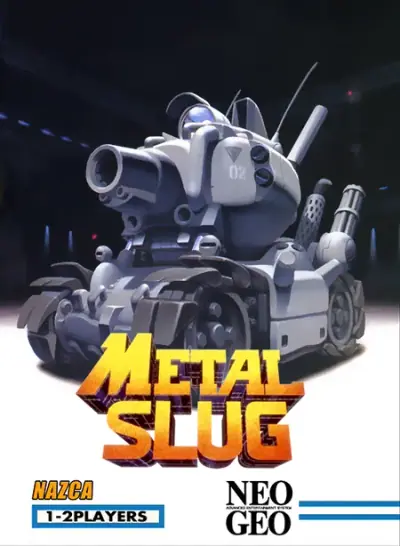
Metal Slug
Rescue prisoners and pilot the SV-001 in the original arcade run-and-gun.
KeyboardPlay
Keyboard recommended. Touch controls are not confirmed for this player.
Review and accept the agreement before playing.
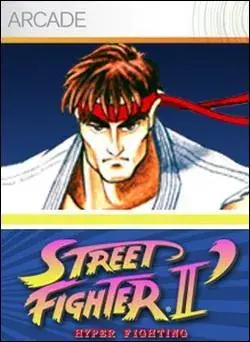
Play Street Fighter II': Hyper Fighting in your browser with the 1992 CPS1 arcade version, identified as 921209 ETC. Choose one of twelve fighters and win rounds by managing distance, blocking and landing attacks. This is the faster follow-up to Champion Edition; no client installation is required.
Select Play now, allow the external game player if asked, then press PLAY NOW inside it. Wait for the Capcom startup screens. Click the game, press Right Shift to insert a virtual coin, wait for PUSH 1P START, then press Enter to start. Use the arrow keys to highlight a fighter and X to confirm; wait for the first round before testing attacks.
The title screen and computer-controlled demonstrations are not your match. Look for the coin counter changing and the character-selection screen after Enter. If a very quick tap is missed, hold the key briefly. Only the Shift key on the right inserts a coin in the default mapping.
Hyper Fighting retains the twelve selectable fighters of Champion Edition and increases the pace. Faster movement and attacks shorten the time available to react, so an unsafe jump or missed heavy attack is punished quickly. It is not Super Street Fighter II, which introduced another four fighters.
Character changes matter as much as speed. Chun-Li gains a projectile and Ryu and Ken gain an aerial hurricane kick, for example. Learn the moves of your selected fighter in this edition instead of copying timing and combos from a newer Street Fighter.
Hold away from the opponent to block most standing attacks; hold down and away for low defense. Blocking cannot stop throws, and crouching defense is vulnerable to suitable aerial attacks. Learn the opponent's distance before committing to a long recovery animation.
The six attack buttons separate three punch strengths and three kick strengths. Light attacks recover quickly, while heavy attacks offer reach or damage with more risk. Begin with a safe grounded poke, then practice one reliable response to a jump; repeated jumping makes your landing predictable.
With Ryu facing right, a quarter-circle from down through down-right to right followed by a punch attempts Hadoken. Mirror the motion when facing left. Practice the motion slowly before increasing speed; pressing the final attack too early often produces a normal punch.
Guile uses charge motions: hold away from the opponent, then move toward the opponent and press punch for Sonic Boom. Holding down and away can preserve defensive positioning while charging. These motions use game directions and attack buttons, not a separate browser shortcut.
Player 1 defaults from the embedded player's Controls Settings. Right Shift means the Shift key on the right of the keyboard. Click inside the game before pressing keys; remapped keys take precedence.
| Key | Action |
|---|---|
| Right Shift | Insert coin |
| Enter | Start player 1 |
| Arrow keys | Move / jump / crouch / hold away to block |
| S / A / Q | Light / medium / heavy punch |
| X / Z / E | Light / medium / heavy kick |
Desktop Chrome on macOS was used to check startup and keyboard input on October 27, 2026. The game runs in an external RetroGames.cc player. No app or browser plugin installation is required; game and emulator resources still download after you start.
Android phones and iPhone/iPad have not been tested on physical devices. Touch controls, simultaneous button presses, sound and fullscreen behavior are unverified. Use a desktop keyboard for the verified setup; a smaller screen alone does not establish phone compatibility.
A page favorite only bookmarks the game. Automatic progress recovery and the provider's save-state or online-play features have not been verified. Reloading can lose the current session. For missing sound, interact with the game and check its speaker control; for ignored keys, click the game again.
Fix a game that will not load · Understand browser game saves
The embedded browser session is free to launch and does not require a game client or plugin. Emulator and game data still load over the network after you choose to start.
This check covers player 1 against the computer. The arcade original has two-player play, but that does not verify network matches or local second-player mappings in this embed.
Version: Street Fighter II' — Hyper Fighting, 921209 ETC, CPS1 arcade, 1992. The public provider embed identifies this build. The guide concerns this arcade edition, not a console Turbo port or a later Super Street Fighter II release.
Guide maintained by WASM Arcade Directory ·
RetroGames.cc — Street Fighter II': Hyper Fighting — Exact arcade version and public Embed Code checked; startup and player-input tests recorded October 27, 2026. This was a short gameplay check, not a complete playthrough.
WASM Arcade Directory is an independent guide site, separate from RetroGames.cc and the original game publishers. The embedded player's interface and game language may differ from this guide. No player totals, ratings or network multiplayer results are claimed.