Fighting
Street Fighter II': Hyper Fighting
Choose from twelve fighters in the fast 1992 arcade edition.
KeyboardPlay
Review and accept the agreement before playing.
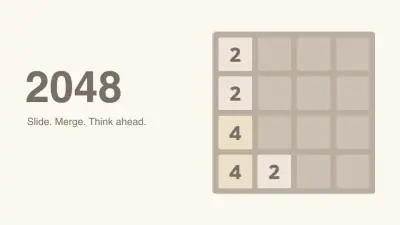
2048 is a turn-based number puzzle by Gabriele Cirulli. Slide the entire board, combine equal tiles, and keep enough empty cells to reach the 2048 tile.
Choose Play now, click inside the board, then press an arrow key. On a touchscreen, swipe across the board. New Game resets the current board.
Start with two preferred directions and keep your largest tile in one corner. A valid move adds a new tile, so plan space before moving.
Every move slides all tiles as far as possible in one direction. Two equal tiles that meet become one tile with twice the value; two 2 tiles produce a 4 tile.
A merged tile cannot merge a second time during that move. A row of four 2 tiles therefore becomes two 4 tiles, rather than a single 8. A move that changes nothing does not add a tile.
Keep the largest tile in a chosen corner and arrange smaller values beside it. This makes a chain of merges easier to prepare and reduces the chance of trapping a small tile behind a large one.
Before reversing direction, inspect the whole board. A move that earns points immediately can still leave an unusable gap. Empty cells are useful because they give newly spawned tiles somewhere to go.
Merging adds the value of the resulting tile to your score. Reaching 2048 offers a choice to keep playing; the game ends when no empty cell or legal merge remains.
The current board and best score use this browser’s local storage. New Game replaces the current run. Clearing site data or switching browsers does not transfer your board, and a WasmArcade favorite only saves the page link.
Click inside the game before using the keyboard. Touch gestures are performed on the game board.
| Key | Action |
|---|---|
| Arrow keys / swipe | Slide all tiles |
| New Game | Reset the current board |
Runs in this page without a plugin or account. The game files still load over the network.
The source supports touch input. Small-screen layout is checked separately from testing a physical phone.
Favorites bookmarks the page. Game progress and settings belong to the browser and do not sync to another device.
Fix a game that will not load · Understand browser game saves
Choose Play now, click inside the board, then press an arrow key. On a touchscreen, swipe across the board. New Game resets the current board.
Favorites bookmarks the page. Game progress and settings belong to the browser and do not sync to another device. The current board and best score use this browser’s local storage. New Game replaces the current run. Clearing site data or switching browsers does not transfer your board, and a WasmArcade favorite only saves the page link.
2048 · HTML5 · 2026-11-19
Guide maintained by WASM Arcade Directory ·
2048 — 2048 — Game rules and controls checked against the original source and a short browser playtest.
This is an independent WasmArcade game page. The game interface may use a different language from this guide.