Fighting
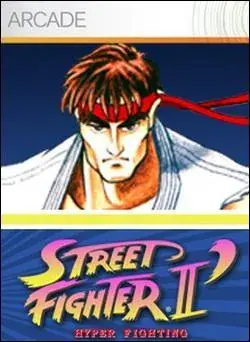
Street Fighter II': Hyper Fighting
Choose from twelve fighters in the fast 1992 arcade edition.
KeyboardPlay

Review and accept the agreement before playing.
Hextris is a real-time color puzzle by Logan Engstrom, Garrett Finucane, Noah Moroze and Michael Yang. Rotate a central hexagon to receive incoming colored blocks.
Choose Play now, then select the triangle in the game. Left and right arrows rotate the hexagon; the on-screen question mark opens the instructions.
Watch the next arriving block before rotating. Group equal colors instead of spreading them over every side, and leave room below the outer gray boundary.
Clear a group by making at least three blocks of the same color touch. Blocks accumulate on the six faces, so rotating changes which stack receives the next block.
The puzzle continues while you decide. Keep track of more than one face: a useful match on one side can leave a dangerous tall stack on another side.
The outer gray hexagon marks the limit. A stack that grows beyond the available rows ends the run. Make space with small reliable matches rather than waiting indefinitely for one perfect color.
The colored lines around the boundary indicate the remaining combo window. Consecutive clears within that window improve the scoring chain. Learn safe placement before trying to sustain a fast combo.
Use left and right arrows or A and D to rotate. Down or S speeds incoming blocks up, so avoid that input until you are comfortable with normal speed.
P or Space pauses the game. Leaving the game can also pause it; use the play control to resume. High scores are stored in this browser, and the in-game restart control begins another run.
Click inside the game before using the keyboard. Touch gestures are performed on the game board.
| Key | Action |
|---|---|
| ← / → / A / D | Rotate the hexagon |
| ↓ / S | Speed up blocks |
| P / Space | Pause / resume |
Runs in this page without a plugin or account. The game files still load over the network.
The source supports touch input. Small-screen layout is checked separately from testing a physical phone.
Favorites bookmarks the page. Game progress and settings belong to the browser and do not sync to another device.
Fix a game that will not load · Understand browser game saves
Choose Play now, then select the triangle in the game. Left and right arrows rotate the hexagon; the on-screen question mark opens the instructions.
Favorites bookmarks the page. Game progress and settings belong to the browser and do not sync to another device. P or Space pauses the game. Leaving the game can also pause it; use the play control to resume. High scores are stored in this browser, and the in-game restart control begins another run.
Hextris · HTML5 · 2026-11-19
Guide maintained by WASM Arcade Directory ·
Hextris — Hextris — Game rules and controls checked against the original source and a short browser playtest.
This is an independent WasmArcade game page. The game interface may use a different language from this guide.