Fighting
Street Fighter II': Hyper Fighting
Choose from twelve fighters in the fast 1992 arcade edition.
KeyboardPlay
Review and accept the agreement before playing.
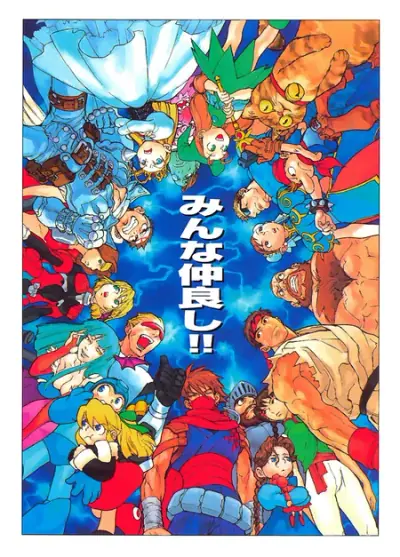
Play the original Marvel vs. Capcom: Clash of Super Heroes free online, with two main fighters and a separate Special Partner. This page runs the 1998 CPS2 arcade game, Euro 980123, through Internet Archive’s browser emulator. Choose a Marvel–Capcom team and fight the computer. No app or plugin installation is required; the browser must still load the emulator and game resources.
Choose Play now, then Click to Begin in the archive player if shown. Let the arcade boot finish and click inside the game to focus it. Press 5 twice for virtual coins, then 1 for Player 1 start. The tested coin setting requires two coins for one credit. Move the selection with the arrows and confirm each of two fighters with left Control. Confirm Manual or Easy in MODE SELECT, then Turbo or Normal in SPEED SELECT with the same button. The two fighters, life bars and round timer identify the playable match.
For a first round, choose Normal speed and keep your first fighter at a distance where a single normal attack reaches. The desktop test selected Ryu and Spider-Man, entered a match, moved toward the opponent and produced Ryu’s standing punch with Space. This is a short input check, not a completed arcade run or a verified combo tutorial.
Choose two fighters before the match. The second main fighter has a life bar and belongs to your playable team. The Special Partner is a separate support character used for covering attacks, not a third fully selectable main fighter as in Marvel vs. Capcom 2.
Changing the active main fighter and calling support serve different purposes. Keep track of the two life bars and the support icon separately. Tag and assist shortcuts were not independently tested in this player, so this guide does not invent a keyboard macro for them.
Ryu’s Space attack visibly extended his arm in the controlled test. First compare a normal attack from too far away with one near the opponent; an animation does not mean the hit connected. Close enough to threaten is different from walking directly into an attack.
Try a short advance, one attack and a retreat instead of holding every attack key. Up jumps, while Left and Right move along the stage. Watch the opponent and the landing space before jumping again; the computer continues attacking while you read a guide.
Capcom describes Duo Team Attack as a temporary period when both main fighters attack together and Hyper Combos can be used without limit during that period. That is a specific mechanic, not a general promise of unlimited meter throughout a match.
Learn movement and the six normal buttons before attempting team techniques. Manual/Easy and Turbo/Normal are menus visible in the tested arcade setup; they are not modern matchmaking options. This page does not claim online versus, rollback, a training room or unlocked hidden characters.
MAME’s Input (this machine) menu showed all six default mappings. Virtual coin/start, selection, movement and Space punch were tested; individual move lists, tag/assist combinations and gamepads were not. Clicking the focused game can also act as MAME button 1, so avoid accidental clicks while selecting.
| Key | Action |
|---|---|
| 5 → 5 → 1 | Two virtual coins, then Player 1 start; no payment |
| Arrow keys | Move; Up jumps; navigate selection |
| Left Control / Left Alt / Space | MAME P1 buttons 1 / 2 / 3, the three punch buttons |
| Left Shift / Z / X | MAME P1 buttons 4 / 5 / 6, the three kick buttons |
| Tab | Open or close MAME settings; inspect Input (this machine) |
Verified setup: desktop Chrome on macOS, November 4, 2026. Internet Archive provides the public embed and runs the arcade emulator in the browser. Expect an initial resource load; no local emulator or ROM installation is needed for this entry.
Physical Android and iPhone/iPad are NOT TESTED. The emulator exposes many keyboard buttons; touch controls, simultaneous touches, audio, rotation and fullscreen have not been verified. A responsive page is not proof that six-button mobile play is usable.
If coins or arrows do nothing, click the game once to restore focus, close the Tab menu and try a deliberate key press. Do not confuse an attract-mode demo with your match: start Player 1 and check the chosen team. Reload may lose the round. Save recovery and audio output were not tested; Favorites only saves this page.
Fix a game that will not load · Understand browser game saves
This is Clash of Super Heroes, the original 1998 CPS2 game, Euro 980123. It uses two main fighters and separate support. It is not MVC2’s three-main-fighter system.
Only Player 1 against the computer was tested. Original two-player arcade hardware does not establish cross-device online play here. Network versus, a second keyboard player and gamepads remain unverified.
The embedded item identifies Euro 980123 and MAME 0.239. Capcom’s official retrospective identifies the original game as a 1998 release and describes its two-versus-two system, Special Partner and Duo Team Attack. Its modern Fighting Collection page is a reference for the original mechanics; this is not that collection, MVC2, or the PlayStation/Dreamcast port. Collection online rooms and training features are not offered by this embed.
Guide maintained by WASM Arcade Directory ·
Internet Archive — Marvel vs. Capcom: Clash of Super Heroes — Public Share or Embed, Euro 980123 identity and MAME input menu checked; controlled selection, movement and punch observed. Capcom supplies the version/mechanics reference; a full clear was not tested.
WASM Arcade Directory is an independent guide, unaffiliated with Marvel, Capcom or Internet Archive. The archive controls the external emulator and game language. No fabricated rating, player count or official service status is claimed.