Fighting
Street Fighter II': Hyper Fighting
Choose from twelve fighters in the fast 1992 arcade edition.
KeyboardPlay
Review and accept the agreement before playing.
Play Sports Heads: Basketball free online in the original Flash game, running through Gameflare’s browser player. Move a big-headed player around a small basketball court, strike the ball toward the opposing basket and protect your own hoop. A match lasts one minute; the player with more points wins. This is the original ten-match game, not Sports Heads: Basketball Championship. No app or Flash plugin installation is needed, but the browser still loads game and emulator files.
Choose Play now on this page and allow the external game player if prompted. In Gameflare, select PLAY GAME. If Instructions appears first, choose PLAY to reach the main menu. Select NEW GAME, choose a head with the arrows on the selection screen, then select the first opponent tile. Click the game picture and press Space at “Space to start”. Wait for the three-second countdown, then use Left/Right to move, Up to jump and Space to swing at the basketball.
A menu or countdown alone is not a running match. Look for the one-minute clock, the ball and a visible response to your movement. If Space does nothing, click directly on the court before pressing it again; this focus step was necessary during testing. Do not use the unrelated football or tennis links inside the original menu when starting this basketball game.
Left and Right position your player, Up jumps, and Space swings the arm at the ball. The direction and height of contact affect where the basketball goes; simply holding movement toward it can leave your own basket open. Start by making contact on the ground, then try jumping as the ball drops to learn the timing.
When the ball is above your side, first get between it and your hoop. Move toward the center only when you have room to contest the rebound. The short clock makes an immediate safe clearance useful, especially when protecting a lead. These are practice suggestions for the observed controls, not a guaranteed winning sequence.
The slanted springboards near the baskets produce a super-jump. The in-game instructions state that a springboard takes five seconds to recharge. Jumping onto one just after using it will not reliably repeat the same launch, so plan a normal jump as a fallback.
Hit a floating power-up with the ball to trigger its effect. The instructions distinguish movement and size changes, freezing, arm or springboard damage, and altered balls such as dull, bouncy, large or small balls. Watch which player or ball changes before committing to another shot; a familiar contact point may behave differently after an effect.
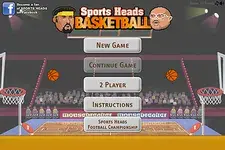
NEW GAME opens a selection with ten opponent tiles. The menu also displays CONTINUE GAME, 2 PLAYER and INSTRUCTIONS. Their presence should not be read as online matchmaking: only a short single-player keyboard session was verified here. The separate Championship title has its own listing and is not the version on this page.
For a first session, use the first opponent to learn the Space swing and the springboard recharge rather than trying to clear all ten opponents immediately. The directory’s Favorite button saves this page, not your tournament. Automatic recovery through CONTINUE GAME, local two-player controls, controllers and save transfer remain untested.
These three keys were checked in a short single-player match. Menu selections use the mouse. The game calls Space “Kick”, but the basketball animation swings an arm; it is not a football goal control.
| Key | Action |
|---|---|
| ← / → | Move left / right in the match |
| ↑ | Jump |
| Space | Start the match; swing the arm to hit the ball |
Desktop Chrome on macOS was used on November 3, 2026. The external Gameflare player runs the original Flash game through a browser emulator. No client or Flash plugin installation is needed; game files still load over the network.
Android phones and iPhone/iPad have not been tested on physical devices. Touch controls, simultaneous button presses, sound and fullscreen behavior are unverified. Use a desktop keyboard for the verified setup; a smaller screen alone does not establish phone compatibility.
Progress recovery and 2 PLAYER were not tested. For ignored keys, click the court again. For silence, interact with the game and check its music/speaker icons; audio output and fullscreen have not been independently verified. Reloading can lose the current match.
Fix a game that will not load · Understand browser game saves
Physical Android and iPhone/iPad play have not been verified. The tested setup is desktop Chrome with a keyboard. A responsive page or a visible game on a phone does not establish reliable touch movement and shooting.
After selecting an opponent, click directly on the game court and press Space again. In testing, the picture could render while keyboard focus was elsewhere. Wait for the countdown; if the game stays blank, check external-player permission and reload only after accepting that unsaved progress may be lost.
Version checked: original Sports Heads: Basketball, the Flash basketball game listed by Gameflare in September 2012. The title screen, ten-opponent selection, instructions and a short single-player match were inspected on November 3, 2026. The Championship sequel was not substituted. This check does not establish a completed tournament or two-player session.
Guide maintained by WASM Arcade Directory ·
Gameflare — Sports Heads: Basketball — The provider’s public Embed code was checked. Actual single-player movement, jumping and a ball-contact animation were observed; this was a short test, not a tournament completion.
WASM Arcade Directory is an independent guide site, separate from Gameflare and the original game creators. Gameflare controls its player, third-party advertising and game language. We do not claim official affiliation, player totals, ratings or verified online multiplayer.